
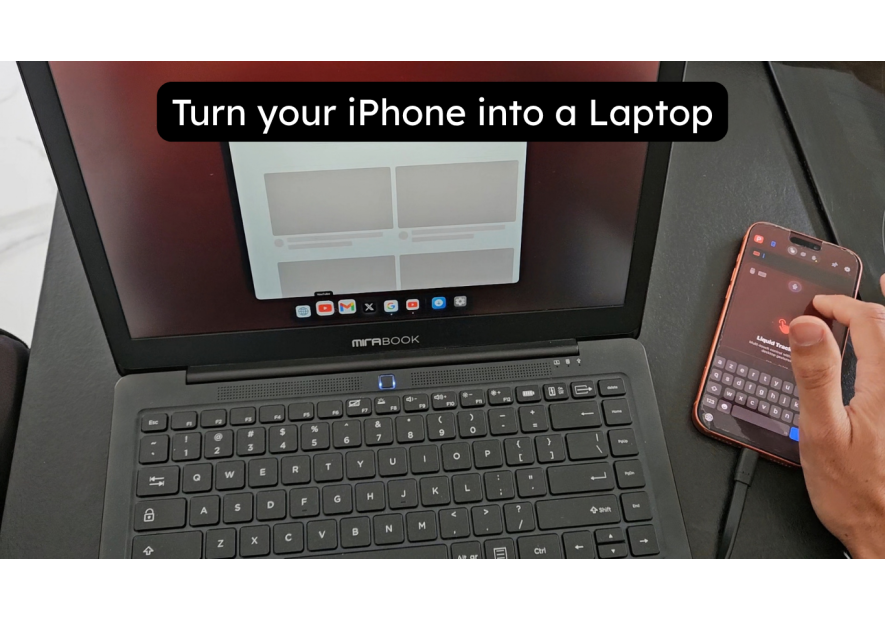
Best Accessories for InfiniteX2P — Turn Your iPhone into a Laptop
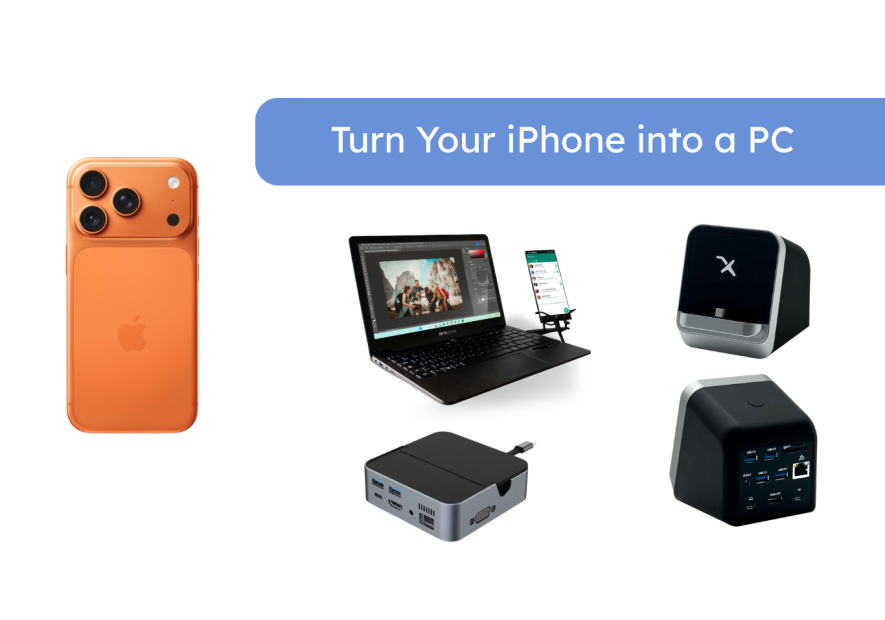
InfiniteX2P is the app that does what Apple hasn't — it gives your iPhone a proper desktop mode with resizable windows and full external display support. But the app only works as well as the accessories you pair it with. The right InfiniteX2P accessories make the difference between a clunky workaround and a genuine laptop replacement.
This guide covers every accessory category that works with InfiniteX2P: lapdocks, docking stations, adapters, and display solutions. All tested, all compatible, all available at Mobile-Only.
InfiniteX2P as a laptop — the lapdock approach
NexDock officially recommends InfiniteX2P for iPhone users. That's not a marketing line — it's because the combination genuinely works. The NexDock connects to your iPhone via USB-C, and InfiniteX2P activates its external display mode automatically, presenting a full multi-window desktop on the NexDock screen.
What makes NexDock the right InfiniteX2P lapdock:
- USB-C connection — direct DisplayPort passthrough, no adapters needed
- Full HD 1080p display — InfiniteX2P's windowed interface looks sharp
- Keyboard and trackpad input fully supported by InfiniteX2P
- USB-C passthrough power — charges your iPhone while you work
- Built-in battery — 8-10 hours of combined use
- Lightweight enough for daily carry
The setup: install InfiniteX2P on your iPhone 17 (requires iOS 26.0+), connect the NexDock via USB-C, open InfiniteX2P, and tap "Connect to External Display." Your iPhone's apps appear as resizable windows on the NexDock screen. It takes about 30 seconds to set up the first time.
Browse the full lapdock collection at Mobile-Only for all available options.
InfiniteX2P at your desk — the docking station approach
For a desk setup, a docking station or USB-C hub connects your iPhone to an external monitor while InfiniteX2P runs the windowed desktop interface on your screen. This is the most productive InfiniteX2P configuration — a large monitor, full-size keyboard, and precise mouse.
The MiraDock is the clean desk solution. Your iPhone connects to the MiraDock via USB-C, and the dock handles HDMI or DisplayPort output to your monitor, plus power delivery and USB peripheral connections. One cable from your iPhone, everything else on the dock.
For a more compact option, the USB-C Docking Station packs HDMI, USB-A, USB-C, and power delivery into a pocket-sized unit. Works on any desk, any hotel room, any co-working space with a monitor.
InfiniteX2P Studio mode is worth enabling in desk setups — it optimises the window layout for wider displays and adds additional keyboard shortcut support. Access it through InfiniteX2P settings once your external display is connected.
Wireless casting — InfiniteX2P without a cable
InfiniteX2P focuses on wired USB-C connections for its external display mode — this is where the windowed desktop interface lives. For wireless use, your iPhone's standard AirPlay screen mirroring works to cast your phone screen to an Apple TV or AirPlay display, but this won't activate InfiniteX2P's windowed desktop mode.
For fully wireless InfiniteX2P-like productivity, the best approach is a short USB-C cable to a compact dock, combined with a wireless keyboard and mouse. You get the full windowed interface on an external display with no visible cables connecting to peripherals.
The 4K USB-C to HDMI Adapter is the minimalist option — a small adapter that connects your iPhone directly to any HDMI display. Pair it with a Bluetooth keyboard and mouse for a nearly wireless setup.
Spatial computing — AR glasses with InfiniteX2P
InfiniteX2P supports external display output — and XREAL 1S AR glasses present as an external display to your iPhone. Connect XREAL 1S via USB-C to your iPhone 17 Pro, launch InfiniteX2P, and your windowed desktop appears on a 500" virtual screen in your field of view.
This combination is underrated. InfiniteX2P's multi-window interface on a 500" virtual screen is a genuinely different experience from using it on a standard monitor. You can spread multiple app windows across a massive virtual display, visible only to you, anywhere you are.
The Magnetic USB-C DisplayPort Adapter is highly recommended for XREAL users — the magnetic connection makes switching between XREAL glasses and your lapdock instant, without wear on your iPhone's USB-C port.
Essential InfiniteX2P accessories — quick reference
| Accessory | Use case |
|---|---|
| NexDock | Official lapdock recommendation — travel laptop replacement |
| MiraDock | Desk setup — connects iPhone to monitor + peripherals |
| USB-C Docking Station | Compact desk hub — HDMI, USB-A, power delivery |
| 4K USB-C to HDMI Adapter | Minimal adapter — iPhone to any HDMI display |
| Magnetic USB-C DP Adapter | AR glasses + lapdock connection — protects USB-C port |
InfiniteX2P is the best desktop mode solution for iPhone right now. Pair it with the right accessory and you have a PC you've been carrying in your pocket the whole time.
Take care,
Yanis@MiraLab

NexDock 2026 — Lapdock for...
Price €339.99

MiraDock — USB-C Dock for...
The MiraDock is a USB-C dock designed for Samsung DeX. Connect your Galaxy to a 4K HDMI monitor, Gigabit Ethernet, 4 USB-A ports, card reader, and USB-C PD charging — all from a single cable. Your phone becomes a complete workstation.
Price €108.00
USB-C Docking Station for...
One dock, a full desktop: 4K HDMI, VGA, USB-A, Ethernet & PD charging. Works with Samsung DeX, Motorola Ready For and any Android Desktop Mode phone.
Price €287.81