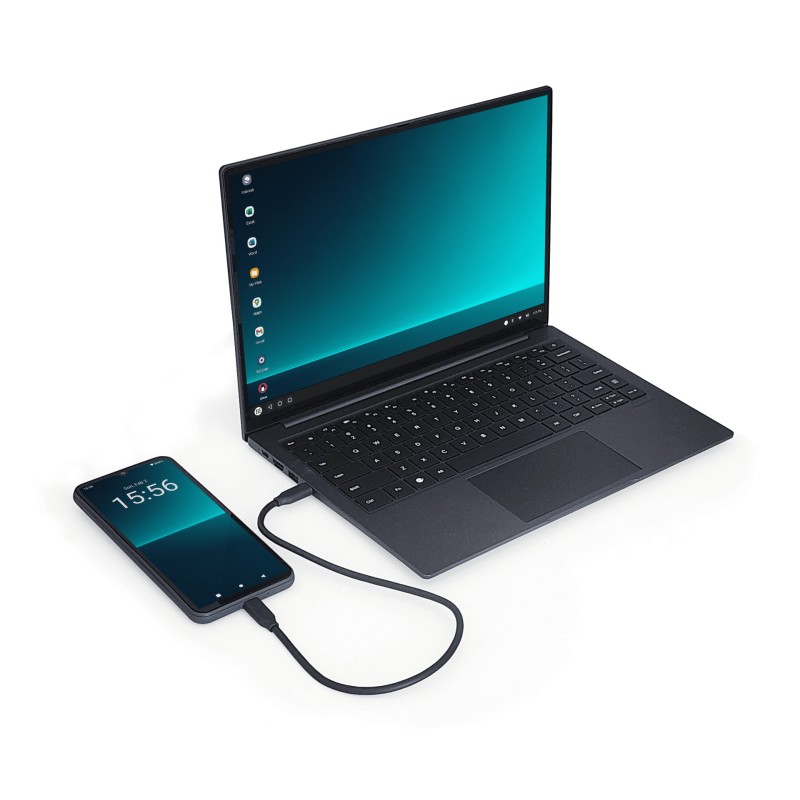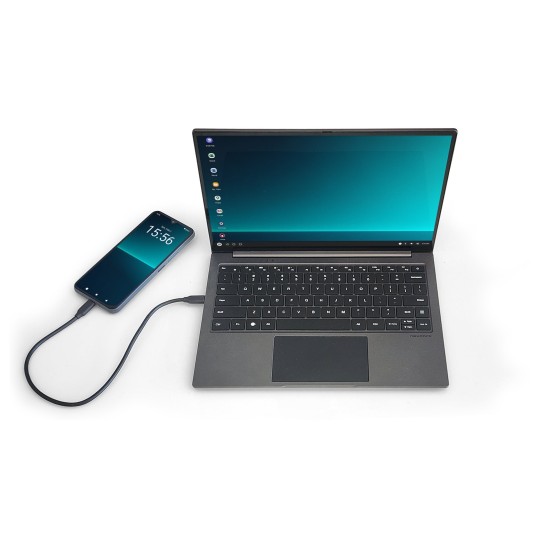
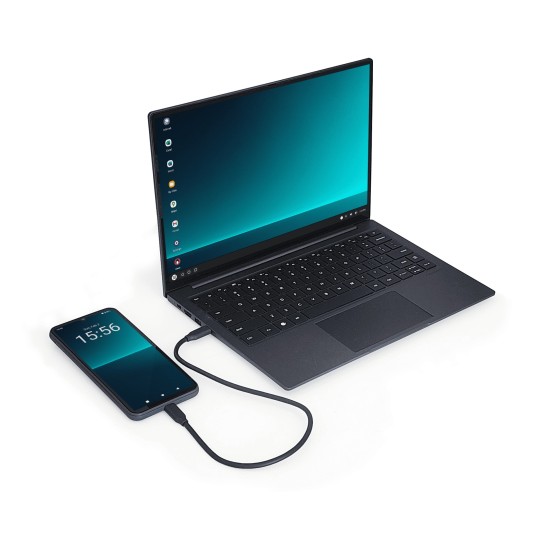
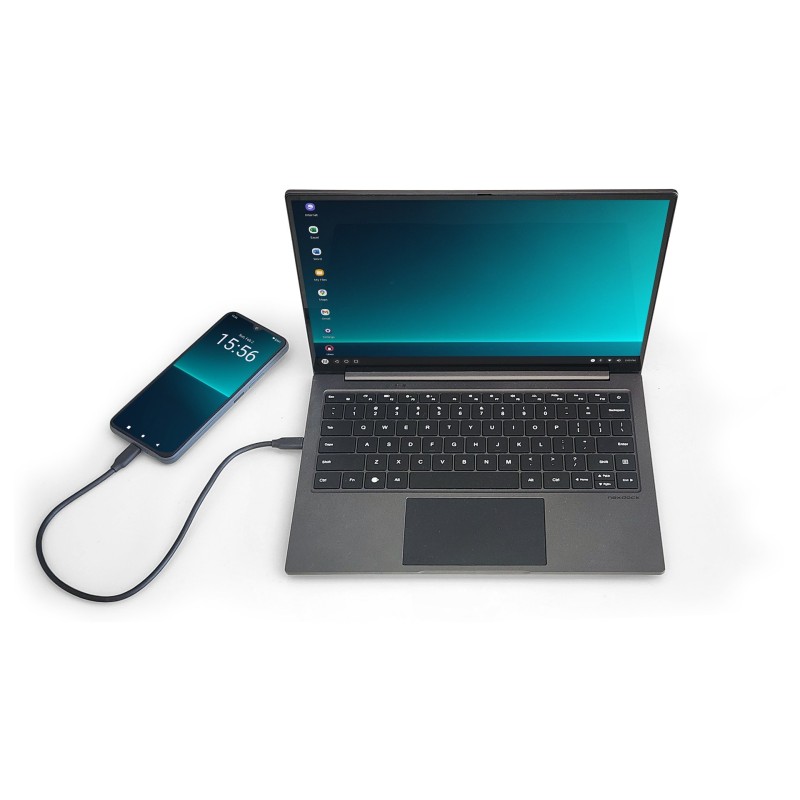
NexDock 2026 open lapdock connected to Samsung Galaxy via USB-C — DeX desktop mode active
NexDock 2026 — 14-inch WUXGA touch screen, backlit keyboard and multi-touch trackpad

NexDock 2026 — Lapdock for Samsung DeX

€339.99
Tax included
GTIN: 00850021532277
NexDock

The NexDock 2026 is the best lapdock for Samsung DeX: it turns your smartphone into a full laptop in seconds. Connect any Samsung Galaxy or USB-C DisplayPort phone and get a 14" WUXGA touch screen, backlit keyboard, multi-touch trackpad, and a built-in 38 Wh battery that charges your phone while you work. No drivers, no subscriptions — just plug in and go. The ultimate Mobile-Only workstation.

Last items in stock

Hurry up! Only 2 item(s) left in Stock!
clear

Guarantee

You have 14 days to return the product if you are not satisfied.

Guarantee

You have 14 days to return the product if you are not satisfied.

clear

Payment Security

We work with the best payment partners to ensure your transactions are 100% secure.

Payment Security

We work with the best payment partners to ensure your transactions are 100% secure.

Turn Your Smartphone Into a Full Laptop — The Ultimate Lapdock for Samsung DeX

What if your smartphone was already powerful enough to replace your laptop? With the NexDock 2026, the best lapdock for Samsung DeX, it finally is. Simply connect your Samsung Galaxy (or any USB-C DisplayPort phone) and unlock a full desktop experience: real keyboard, trackpad, 14" WUXGA touch screen — no cloud, no subscription, no compromise.

Whether you're a remote worker juggling client calls, a digital nomad hopping between co-working spaces, or a student who refuses to carry five devices — the NexDock 2026 is the one accessory that changes everything.

Key Features of the NexDock 2026 Lapdock

  • 14" WUXGA IPS Touch Screen (1920×1200 — 16:10) — fully laminated display with 400-nit brightness, 100% sRGB color gamut, and wide viewing angles — works great indoors and in bright environments
  • Backlit Chiclet Keyboard — full-size layout with adjustable backlighting for low-light work sessions
  • Multi-Touch Trackpad — smooth, responsive gesture support for navigation and productivity shortcuts
  • USB-C Power Delivery (charging passthrough) — the NexDock charges your phone while you work, so you end the session with more battery than you started
  • Built-in 38 Wh battery (5,000 mAh / 7.6V) — up to 8 hours of standalone use; no wall plug needed on the go
  • USB-A & USB-C ports — connect a mouse, USB drive, or hub without adapters
  • Ultra-slim and lightweight — fits in any laptop bag, weighs less than most notebooks
  • Plug-and-play setup — no app, no driver, no pairing needed; just plug in your USB-C cable

Full Compatibility — Which Phones Work with the NexDock?

The NexDock 2026 works with any smartphone that supports USB-C DisplayPort Alt Mode. This includes:

  • Samsung Galaxy S Series: Galaxy S25, S24, S23, S22, S21, S20 (and Ultra/Plus variants) — full Samsung DeX support
  • Samsung Galaxy Z Series: Galaxy Z Fold 6, Z Fold 5, Z Fold 4, Z Fold 3 — DeX mode on a foldable
  • Samsung Galaxy Tab: Tab S9, Tab S8, Tab S7+ and other DeX-enabled tablets
  • Motorola Edge & ThinkPhone: Ready For desktop mode via USB-C
  • OnePlus, Xiaomi, OPPO, Sony Xperia with USB-C DP Alt Mode support
  • Linux phones (PinePhone Pro, Librem 5) running desktop environments

Note: iPhones and iPads are not compatible — they use Lightning or USB-C without DisplayPort output.

Who Is the NexDock 2026 For?

  • Remote workers & consultants — pack one device instead of a laptop and charger; present, type, and video-call from any desk
  • Digital nomads — go carry-on only. Your Samsung Galaxy is your PC; the NexDock is your screen and keyboard
  • Students — write essays, manage schedules, and attend classes — all from the phone already in your pocket
  • IT professionals — SSH into servers, run terminal sessions, manage infrastructure without a bulky workstation
  • Privacy-first users — keep all your data on one device you control, instead of syncing across cloud laptops

Technical Specifications

SpecValue
Display14" IPS touch screen — fully laminated
Resolution1920×1200 WUXGA @ 60Hz (16:10)
Brightness400 nit
Contrast1000:1
Color gamut100% sRGB
KeyboardFull-size backlit keyboard
TrackpadMulti-touch trackpad
Battery38 Wh — 5,000 mAh (7.6V)
USB-C input1× USB-C 3.1 with DisplayPort (5V2A charging passthrough)
HDMI input1× HDMI-in 1.4a
USB-C charging1× USB-C PD charging port
USB-A ports3× USB-A
Audio1× 3.5mm jack + 2× 2W speakers
Weight1,350 g
Dimensions314 × 218 × 17.1 mm
DesignClamshell
Compatible OSSamsung DeX, Android Desktop Mode, Linux
Ships fromEU warehouse — no customs fees within EU
In the box30W USB-C PD charger (1.8m), USB-C cable (180cm), USB-C smartphone cable (20cm), quick start guide

Frequently Asked Questions

Q: Does the NexDock work without Wi-Fi?
A: Yes. The NexDock is a passive display and keyboard — it doesn't need an internet connection to function. Your phone handles all connectivity.

Q: Do I need to install any app or driver?
A: No. Just plug your USB-C cable into the NexDock and your phone. Samsung DeX or Desktop Mode activates automatically. Truly plug-and-play.

Q: Will the NexDock charge my phone while I work?
A: Yes. The built-in battery sends power back to your phone via USB-C PD, so your phone stays charged (or charges) during your session.

Q: What's the difference between the NexDock and a regular monitor + keyboard combo?
A: The NexDock is one single device — screen, keyboard, trackpad, battery, and USB hub in one sleek laptop-form-factor. No cables, no desk required. Perfect for mobility.

Q: Can I use a Bluetooth mouse with the NexDock?
A: Yes. Connect a Bluetooth mouse directly to your phone (not the NexDock) and it will work in DeX mode. You can also plug a USB mouse into the NexDock's USB-A port.

Want to learn more about the Mobile-Only philosophy and how to go laptop-free? Read our expert guides at miralab.one — and explore more lapdock accessories on Mobile-Only.
GTIN: 00850021532277
2 Items

Data sheet

Display
14 inch IPS touch screen (fully laminated) 1920×1200 WUXGA resolution, 60Hz 16:10 aspect ratio​ 460 nits brightness sRGB 100% color gamut
Battery
38 Wh 7.6 V, 5,000 mAh (3h-7h of use)
Weight & Dimensions
314 x 218 x 17.1 mm 1350 g / 12.36 × 8.58 × 0.67 inches 2.98 lb
Keyboard
Full-sized backlit keyboard (QWERTY ONLY) with multi touch trackpad
Ports
1x USB-C 3.1 with DisplayPort (supports 5V2A charging) 1x HDMI-in (1.4a) Port 1x USB-C PD Charging Port 3x USB-A Port 1x 3.5mm Audio Jack
Audio
2x 2W speakers
In the Box
NexDock 18W USB-C PD Charger with 1.8m cable 180 cm USB-C charging cable 20 cm USB-C smartphone cable ( Gen2 USB C 3.1 ) Start Guide

Specific References

New