
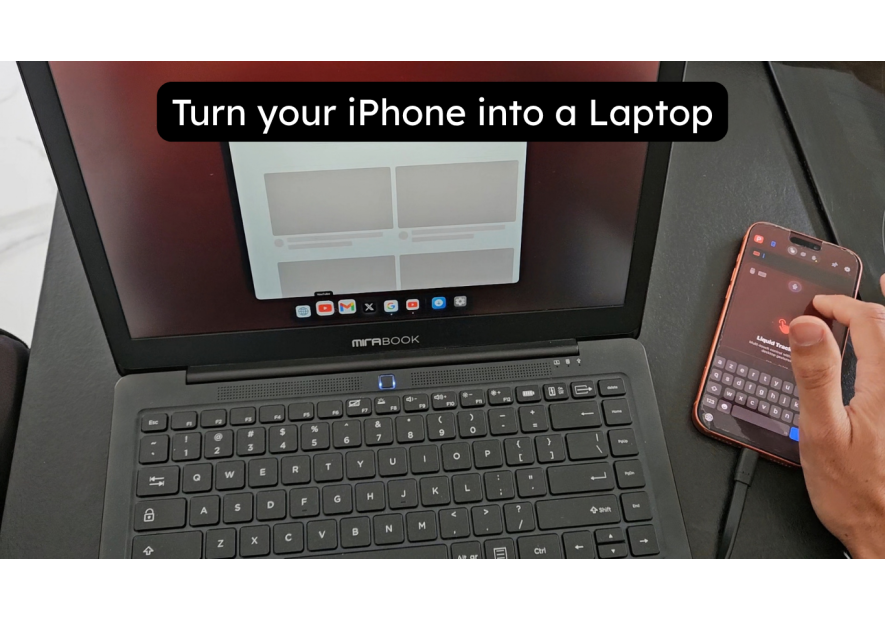
ProDocktive Accessories — iPhone Desktop & Spatial Workstation Setup
ProDocktive describes itself as an "iPhone Desktop Experience & Spatial Workstation." That's a precise claim and with the right accessories, it delivers. ProDocktive accessories for iPhone span lapdocks, docking stations, AR glasses, and AirPlay displays, each unlocking a different layer of what ProDocktive can do.
This guide covers every accessory that works with ProDocktive: the Lapdock approach, the desk setup, wireless via AirPlay, and the spatial computing experience through AR glasses. This is ProDocktive's full potential, not just its surface.
iPhone with ProDocktive as a laptop — the lapdock approach
ProDocktive supports USB-C external display output, which means it works with lapdocks that connect via USB-C. The NexDock is the right lapdock choice — USB-C connection, Full HD display, keyboard and trackpad built in.
Connect your iPhone to the NexDock and transform it into a true PC (or Mac to be precise). Open ProDocktive, and select the external display as your output. ProDocktive's desktop layer appears on the NexDock screen — a Mac-like interface with window management, keyboard shortcuts, and a more structured workspace than standard iOS multitasking.
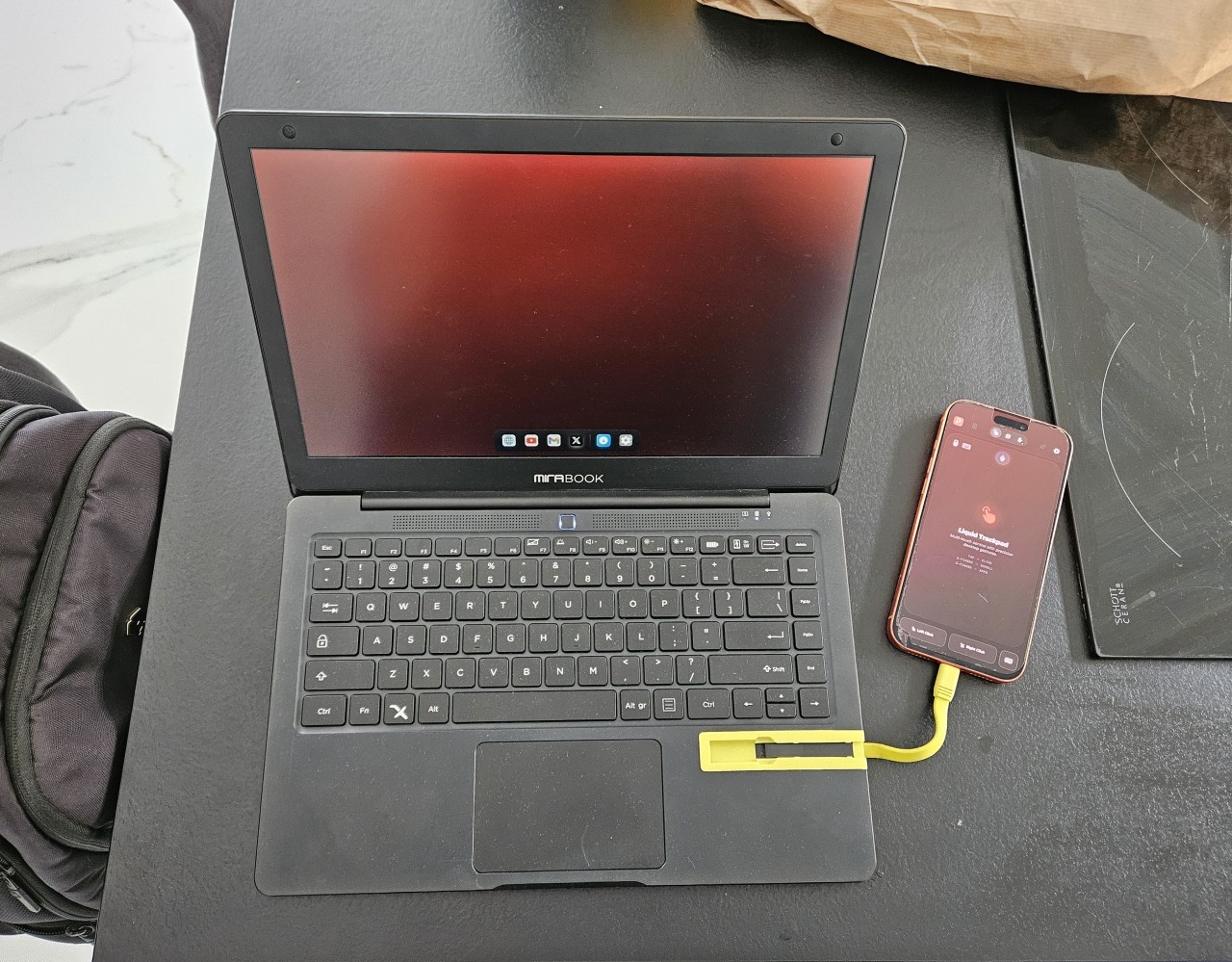
ProDocktive's lapdock experience is more focused than InfiniteX2P. Where InfiniteX2P gives you resizable iOS windows, ProDocktive gives you a dedicated desktop environment designed specifically for external displays. The two apps have different philosophies — ProDocktive feels more like a real desktop OS.
What the NexDock + ProDocktive combination delivers:
- ProDocktive's full desktop interface on the NexDock's 1080p screen
- Keyboard shortcuts and mouse/trackpad support via NexDock input
- iPhone continues running normally on its own screen
- USB-C passthrough charging — NexDock keeps your iPhone powered
- Lightweight for travel — one cable, laptop form factor
Browse the full lapdock collection at Mobile-Only.
This way you can become mobile-only and embrace true tech minimalism.
iPhone with ProDocktive at your desk — the docking station approach
ProDocktive's desktop experience scales up significantly on a larger display. At a desk with an external monitor, ProDocktive becomes a genuine workstation — a focused, multi-window environment that doesn't feel like a phone app.
The MiraDock is the cleanest desk setup for ProDocktive. One USB-C cable from your iPhone to the MiraDock, and the dock handles everything: HDMI or DisplayPort output to your monitor, power delivery to your iPhone, USB connections for keyboard and mouse. ProDocktive's desktop interface fills your monitor.
For a cleaner desk setup, the USB-C Docking Station gives you HDMI output, USB-A ports, and power delivery in a compact unit. Works on any desk, connects to any HDMI monitor.
The DisplayDock UPERFECT 15.6" is a unique option for ProDocktive desk setups. It's a standalone touchscreen display that connects directly to your iPhone — no separate monitor or dock needed. ProDocktive's desktop interface on a 15.6" touchscreen is a compelling all-in-one setup.
Wireless casting — ProDocktive via AirPlay
ProDocktive supports AirPlay as a native connection method — not just screen mirroring, but ProDocktive's actual desktop interface over AirPlay. This is what sets ProDocktive apart from most iPhone desktop solutions.
To use it: open ProDocktive, select AirPlay as your output, and choose your Apple TV or AirPlay-compatible display. ProDocktive's desktop layer streams over AirPlay to your display. You get the full workstation experience wirelessly — with a Bluetooth keyboard and mouse, there are no cables at all.
AirPlay mode is ideal for living room setups, presentations, and anywhere you have an Apple TV but don't want to carry cables. The performance is solid for productivity tasks — documents, email, browser, communication apps. For video or heavier workloads, USB-C remains more reliable.
ProDocktive's AirPlay support makes it the best choice for wireless iPhone desktop use, ahead of InfiniteX2P which focuses on wired display connections.
Spatial computing — ProDocktive and AR glasses
This is where ProDocktive becomes something genuinely different from any other iPhone desktop solution. ProDocktive's spatial workstation mode is designed for AR glasses — and XREAL 1S is the accessory that makes it real.
Connect XREAL 1S to your iPhone 17 Pro via USB-C. Open ProDocktive and activate spatial workstation mode. Your field of view becomes a 500" virtual workspace — ProDocktive's interface spread across your visual field, with multiple windows floating in space. XREAL's head-tracking keeps windows in place as you move.
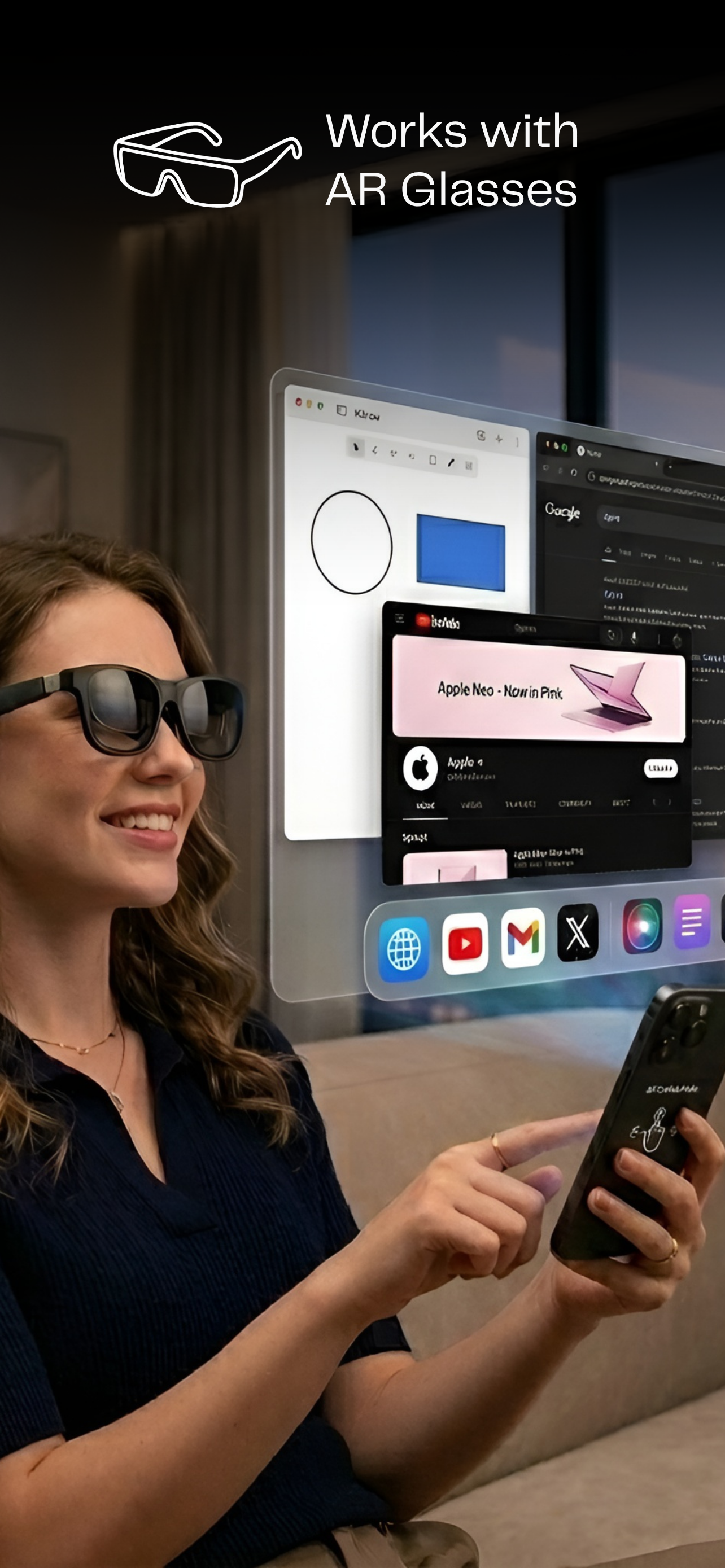
This is spatial computing that's available today. Not a future concept. Your iPhone, ProDocktive, and XREAL 1S creates a workstation experience that no traditional laptop can replicate. A private 500" display, app windows positioned in 3D space, accessible anywhere.
The Magnetic USB-C DisplayPort Adapter is essential for XREAL users who also use a lapdock or dock. The magnetic connection lets you switch between AR glasses and other accessories in seconds, without wear on your iPhone's USB-C port.
For a desk-to-AR workflow, combine the 4K USB-C to HDMI Adapter for traditional monitor use, then switch to XREAL when you need immersive focus. ProDocktive maintains your workspace state across connection types.
ProDocktive accessories — complete reference
| Accessory | ProDocktive use case |
|---|---|
| NexDock | Travel laptop — USB-C, full desktop on 1080p screen |
| MiraDock | Desk workstation — monitor + peripherals via one cable |
| USB-C Docking Station | Compact desk hub — HDMI output + USB ports |
| DisplayDock UPERFECT 15.6" | Standalone touchscreen display — all-in-one desk setup |
| XREAL 1S AR glasses | Spatial workstation — 500" virtual screen, ProDocktive's core use case |
| Magnetic USB-C DP Adapter | Switch between AR glasses and lapdock/dock — magnetic, protects USB-C port |
ProDocktive is the most ambitious desktop solution for iPhone. Its AirPlay integration, spatial workstation mode, and clean desktop interface put it in a category of its own. The accessories above complete the picture — from daily lapdock use to a full spatial computing workstation.
Explore the full range of docking stations and accessories at Mobile-Only. Every product is compatible starting at iphone 15 Pro max to the most recent ones.
The future is Mobile-Only and Prodocktive, being one of the first iOS Desktop Mode, is the iPhone gate to that reality.
Take care,
Yanis@MiraLab