
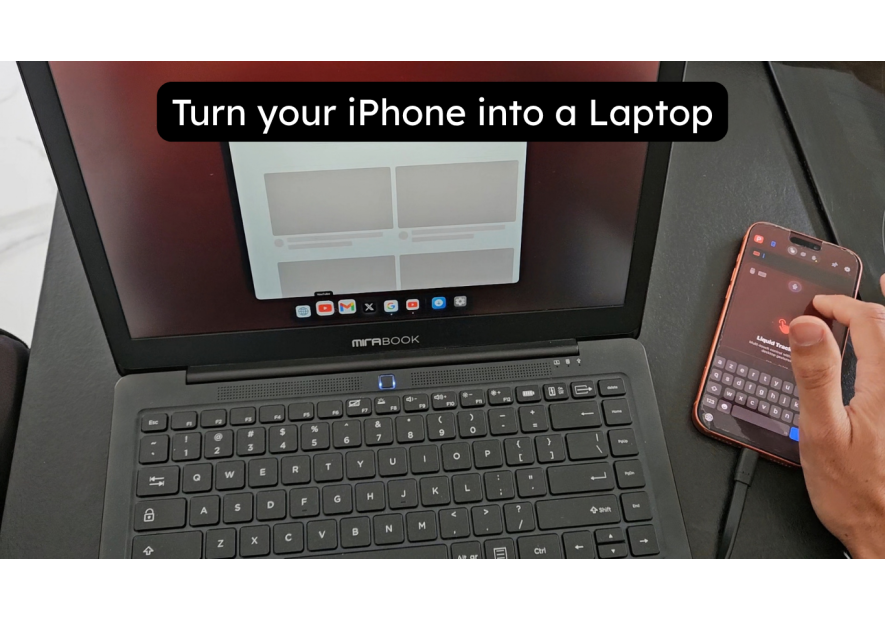
Turn Your iPhone 17 into a PC — With InfiniteX2P and ProDocktive
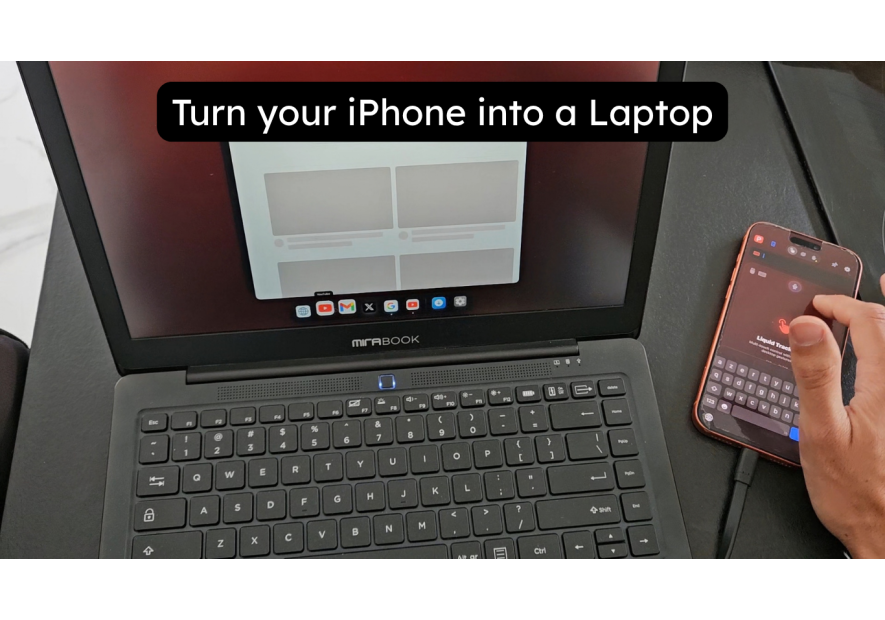
Apple hasn't shipped a native desktop mode for iPhone. But two apps have stepped in to fill that gap — and together, they let you turn your iPhone 17 into a PC that's genuinely usable for real work.
InfiniteX2P brings resizable windows and external display support to iPhone 17. ProDocktive turns it into a spatial workstation via AirPlay and USB-C. Neither requires jailbreaking. Both are on the App Store. And with the right accessories, the experience is closer to a real desktop than most people expect.
iPhone 17 as a laptop — the lapdock approach
To turn your iPhone 17 into a laptop, you need two things: InfiniteX2P and a lapdock. InfiniteX2P is a multitasking app that enables resizable, draggable windows and full external display support — available on the App Store for free (full features at $14.99/year). It requires iOS 26.0 or later.
NexDock officially recommends InfiniteX2P for iPhone users. The NexDock connects to your iPhone 17 via USB-C and the InfiniteX2P app takes over your external display with a full windowed desktop interface. Keyboard and mouse input work natively through the lapdock.
The lapdock + InfiniteX2P combination gives you:
- Resizable, multi-window app layout on the NexDock screen
- Full keyboard and trackpad input from the lapdock
- InfiniteX2P Studio mode for external display-optimised layouts
- iPhone 17 continues to charge via USB-C passthrough
- Your iPhone screen stays active — dual-screen workflow
This is the closest iPhone has come to a native laptop experience without Apple building it themselves.
iPhone 17 at your desk — the docking station approach
For a desk setup, a docking station connects your iPhone 17 to a monitor, keyboard, and mouse — and InfiniteX2P runs your windowed desktop on the external display.
The MiraDock works with iPhone 17's USB-C port — one cable handles video output, power delivery, and USB peripheral connections. Connect to your HDMI monitor, open InfiniteX2P, and your iPhone becomes a desktop workstation.
For a simpler setup, the 4K USB-C to HDMI Adapter connects your iPhone 17 directly to any HDMI display. Pair it with a Bluetooth keyboard and mouse, run InfiniteX2P, and you have a full desk PC without the dock.
ProDocktive is the better choice for desk setups focused on a deeper workstation experience. It connects via USB-C or AirPlay and delivers its own desktop layer — window management, keyboard shortcuts, and a more Mac-like interface than InfiniteX2P. The two apps serve different users.
Wireless casting — what the iPhone 17 can do without a cable
The iPhone 17 supports AirPlay to any Apple TV or AirPlay-compatible display. This gives you wireless screen mirroring — your iPhone screen appears on your TV or monitor without a cable.
ProDocktive adds a more interesting layer here. It supports AirPlay as a connection method for its spatial workstation mode — meaning you can get ProDocktive's desktop interface wirelessly over AirPlay, not just via USB-C. This is unique to ProDocktive and makes it the better choice for wireless desk setups.
To use AirPlay: open Control Centre, tap Screen Mirroring, and select your AirPlay device. For ProDocktive's wireless mode, open the app and select AirPlay as the connection method — the app takes over the AirPlay stream with its desktop layer.
InfiniteX2P focuses on wired external display support. For wireless casting with a desktop interface, ProDocktive is the right app.
Spatial computing — AR glasses and the iPhone 17
The most compelling way to turn your iPhone 17 into a PC is through AR glasses. The XREAL 1S connects via USB-C and creates a 500" virtual display in your field of view — ProDocktive runs its spatial workstation interface on it for a full immersive desktop experience.
This combination — iPhone 17 Pro + ProDocktive + XREAL 1S — is the most differentiated setup in this guide. ProDocktive's spatial computing mode is designed specifically for AR glasses, with an interface that treats your field of view as a multi-window workspace rather than a flat screen.
The Magnetic USB-C DisplayPort Adapter is worth using here — magnetic connection protects your iPhone 17's USB-C port from repeated connections and disconnections throughout the day.
Browse the full range of lapdocks and docking stations compatible with iPhone 17 at Mobile-Only.
InfiniteX2P vs ProDocktive — which do you need?
| Feature | InfiniteX2P | ProDocktive |
|---|---|---|
| Best for | Lapdock + windowed desktop | AR glasses + spatial workstation |
| Connection | USB-C (wired) | USB-C, AirPlay, AR glasses |
| Interface style | Multi-window iOS | Mac-like spatial workspace |
| Price | Free / $14.99/year | See prodocktive.com |
You don't have to choose one. Many iPhone 17 users run InfiniteX2P for lapdock work and ProDocktive for AR sessions. The hardware works with both.
Take care,
Yanis@MiraLab

NexDock 2026 — Lapdock for...
Price €339.99

MiraBook (Refurbished)
Turn your smartphone into a portable PC with the MiraBook — a certified refurbished USB-C lapdock compatible with Samsung DeX, Motorola Ready For, and Android Desktop Mode. Keyboard, trackpad, and built-in battery included.
Price €312.00