
Turn your Samsung Galaxy S26+ into a PC — Samsung DeX + Lapdock Guide 2026
Here is something most people do not realize: the Samsung Galaxy S26+ is, pound for pound, the best lapdock phone Samsung makes. Not the Ultra — the Plus. Bigger battery than the S26. Same Snapdragon processor. The exact same full DeX support. And a form factor that fits in a jacket pocket.
I want to change how you think about the S26+. Stop seeing it as a big phone and start seeing it as a portable computer that happens to make calls. That shift in perspective changes everything about which accessories you buy — and the Samsung Galaxy S26 Plus lapdock setup is the centrepiece of it.
DeX on the Samsung Galaxy S26+ — what you actually get
Samsung DeX on the S26+ delivers a full desktop computing experience. When you connect the S26+ to a lapdock or external display via USB-C DisplayPort, the phone switches into a windowed desktop interface. Not a mirrored phone screen — an actual desktop with overlapping resizable windows, a taskbar, a notification panel, and full keyboard and mouse support.
What makes DeX on the S26+ specifically strong:
- Larger battery: The S26+ has a significantly bigger battery than the standard S26, which means longer DeX sessions before the lapdock needs to carry the charging load
- Same chip: Full Snapdragon performance — DeX handles multi-window, multi-app workloads without throttling
- Identical DeX features: Samsung does not tier DeX by model — every S26 variant gets the same desktop experience
- Phone still works in DeX: Calls, messages, and notifications all come through while you work on the DeX desktop
For people who use their phone as their primary computing device, the S26+'s battery advantage is not trivial. A longer-lasting phone means you can run longer DeX sessions in locations where you cannot charge. That matters on a long flight, in a café, or in a meeting room without a power outlet.
Compatible lapdocks for the Samsung Galaxy S26+
Any lapdock that supports DP Alt Mode (DisplayPort over USB-C) will trigger DeX on the S26+. Here are the options I have tested and recommend:
NexDock — purpose-built for DeX
The NexDock is the one I use. It was designed specifically for Samsung DeX users — Full HD display, proper keyboard, a trackpad that handles DeX gestures well, and 65W pass-through charging. Plug your S26+ in and DeX activates in seconds. No configuration. No drivers. Just a desktop.
The NexDock is the premium choice. If you are going to replace a laptop with a Samsung Galaxy S26 Plus lapdock setup, this is the accessory that makes that replacement feel professional rather than provisional.
MiraBook Refurbished — the smarter entry point
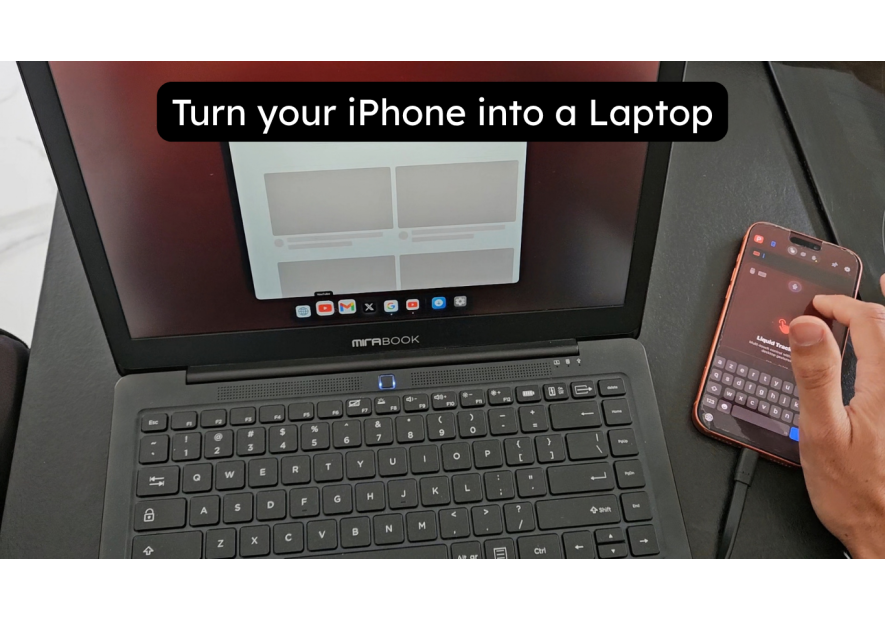
The MiraBook (Refurbished) is a solid lapdock at a lower price point. Same DeX compatibility, proven hardware, refurbished condition. If you want to test the lapdock workflow before committing to a higher budget, this is where I would start.
See everything in stock at the Mobile-Only lapdock collection.
Setting up your Samsung Galaxy S26+ with a lapdock
The setup is genuinely fast. Here is the exact sequence:
- Power on the lapdock — wait for the connection screen
- Connect the USB-C cable from the lapdock to your Galaxy S26+
- DeX launches automatically — no prompts, no settings required
- Use your lapdock's keyboard and trackpad to navigate the desktop
- Open apps from the taskbar — everything from your phone library works in DeX
That is the full setup. Under two minutes from taking the lapdock out of the bag to having a working desktop. Optional but recommended: go to Settings → Connected devices → DeX and enable automatic launch on connection, so DeX starts even faster next time.
One advantage of the S26+ specifically: the larger battery means the lapdock is often supplementing rather than sustaining the phone's charge. On standard S26 units, the lapdock sometimes barely keeps pace with DeX power consumption. With the S26+, you often end a session with more battery than you started.
Desk setup — S26+ with a docking station
For home or office use with an existing monitor, a docking station is more practical than a lapdock. Your S26+ connects to the dock via USB-C, and the dock outputs video to your monitor while providing USB ports for keyboard and mouse.
The MiraDock handles this cleanly: HDMI out, USB-A for peripherals, power delivery — all in one cable from your S26+. I use this at my desk. The USB-C Docking Station is another versatile option with broader port selection.
The dual setup — NexDock in the bag, MiraDock on the desk — is how I eliminated laptops from my workflow entirely. The S26+ is the constant. The accessories change shape depending on where I am working.
Which accessory to buy for your S26+ setup
Depending on your workflow:
- Mobile-first (travel, cafés, flights): NexDock — all-in-one lapdock, best build quality, purpose-built for DeX
- Budget entry point: MiraBook Refurbished — proven DeX compatibility at lower cost
- Fixed desk: MiraDock — connect to your monitor, use your own peripherals
- Both contexts: MiraDock at home + NexDock in the bag — the complete laptop-free setup
All of these ship from Mobile-Only Store, where we specialise specifically in Samsung DeX and Android Desktop Mode accessories.
Is the Samsung Galaxy S26+ the right phone for a lapdock setup?
If you are choosing between the S26 and S26+ specifically for a lapdock workflow, the Plus wins on battery. If you are already on the S26, the lapdock setup works just as well — the S26+ just extends your runway between charges.
The honest answer is: both phones make excellent lapdock computers. The difference is endurance. For intensive DeX sessions — full workdays, travel without charging access — the S26+'s battery gives you a meaningful buffer.
What I would not do is buy a separate laptop when the S26+ in your pocket already runs DeX. That is a second device, second charger, second subscription, and second thing to carry — for a computing experience that is not significantly better than what you already have on your phone.
The Samsung Galaxy S26 Plus lapdock setup eliminates that duplication. One device. One charger. One set of apps and files. It is a simpler way to work, and in my experience, it is a better one.
Questions? Drop them in the comments or reach out directly.
Take care,
Yanis@MiraLab