
Android Desktop Mode Test: The Smartphone PC Era Begins
Android Desktop Mode is a Game Changer
After years of fragmented attempts, Google is finally turning “your phone is your PC” into a platform-level standard—starting with Pixel.
For more than a decade, the idea has been simple and stubbornly persistent: your smartphone should be the only computer you need. The device in your pocket already has a powerful SoC, fast storage, plenty of RAM, and always-on connectivity. Yet we still carry laptops and desktops because smartphones historically missed one key ingredient: a credible, consistent desktop interface when connected to a bigger screen.
The mobile industry has tried to bridge that gap repeatedly. Some implementations were ahead of their time, some were surprisingly polished, and one became the gold standard for power users. But none managed the one thing the market really needed: unification. With Android Desktop Mode maturing under Android 16 and 17, that may finally be changing.
A decade of “phone-to-PC” attempts, and why unification matters
Before Google stepped forward, the “phone becomes your computer” dream was carried by a sequence of bold experiments. Looking back, each one solved a piece of the puzzle — but none could standardize the experience across devices and brands.
Motorola Webtop: too early, too constrained
Motorola’s Webtop era (Atrix days) was one of the first mainstream demonstrations of the concept: dock your phone, get a laptop-like interface, open a browser, do real work. It was technically impressive, but hardware costs were high and the software ecosystem was limited. The idea was right. The timing wasn’t.
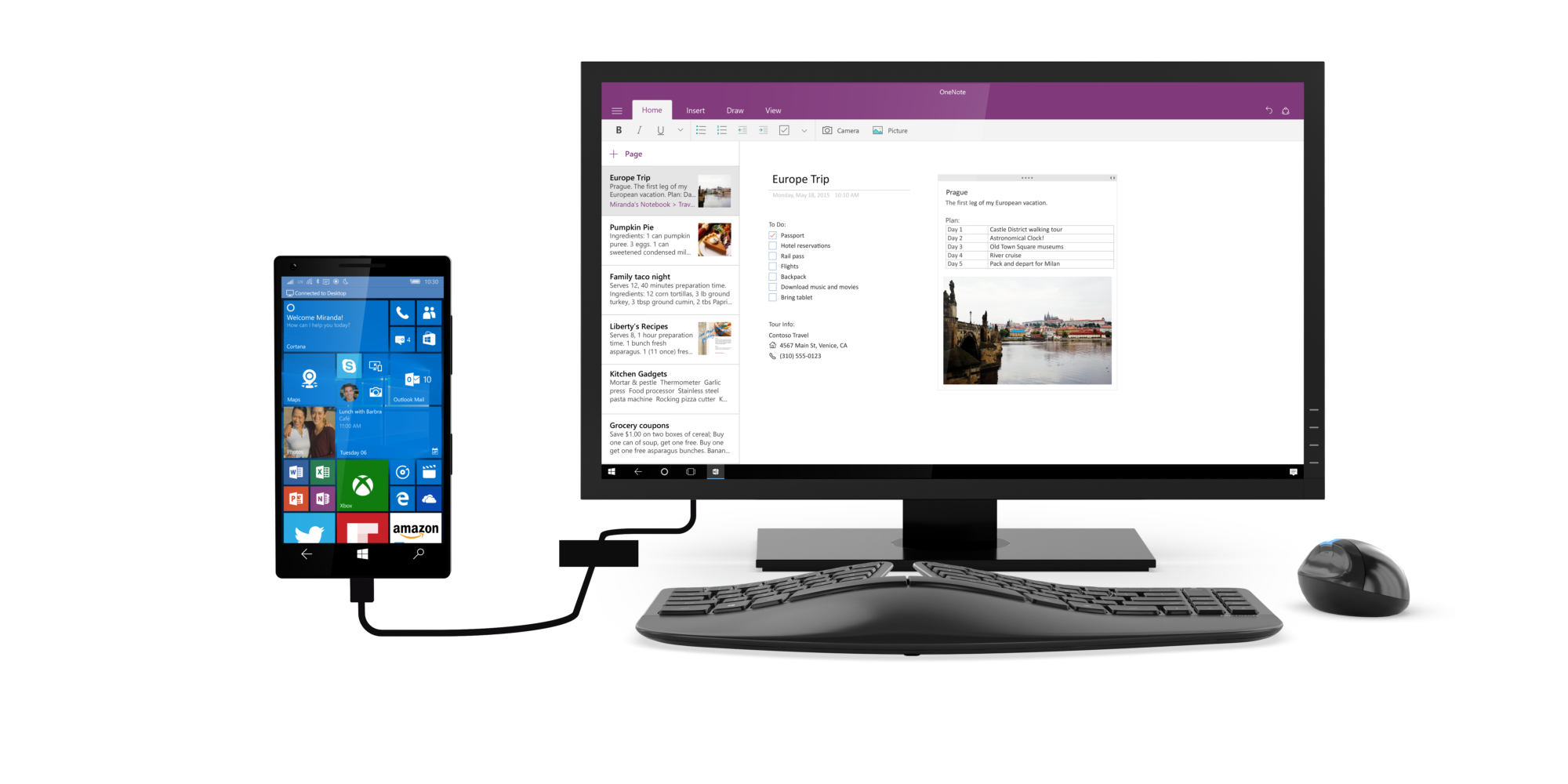
Windows Continuum: great concept, wrong ecosystem
Microsoft’s Windows Continuum came later with a surprisingly coherent user experience. Plug the phone into a screen and it would “expand” into a desktop-like workspace. The issue wasn’t Continuum itself — it was the platform underneath. With a shrinking app ecosystem, Continuum never reached critical mass.
Andromium: Android’s desktop dream from the community
Andromium (later known as Sentio Desktop) proved something important: Android can behave like a desktop OS if you build the right shell. It delivered windowed apps, a taskbar-like UI, and desktop metaphors years before Google took the idea seriously. But community-led solutions still hit the same wall: Android’s deeper system limitations and the lack of official platform support.
Motorola Ready For: the modern, practical take
Motorola returned with Ready For, a more modern approach that leaned into the strengths of contemporary Android hardware. It worked well for productivity and media, but again it was a vendor feature — not an ecosystem standard.
Samsung DeX: the benchmark everyone copied, but nobody could standardize
And then there’s Samsung DeX — the closest thing we’ve had to a proper mobile desktop platform on a global scale. Over time, DeX grew into a robust environment: resizable windows, keyboard shortcuts, a taskbar, better mouse handling, and a workflow that feels familiar to anyone coming from Windows or ChromeOS.
DeX proved the market demand. It also proved the core truth: desktop computing doesn’t need a laptop CPU anymore. It needs good software, good input support, and a consistent UI layer.
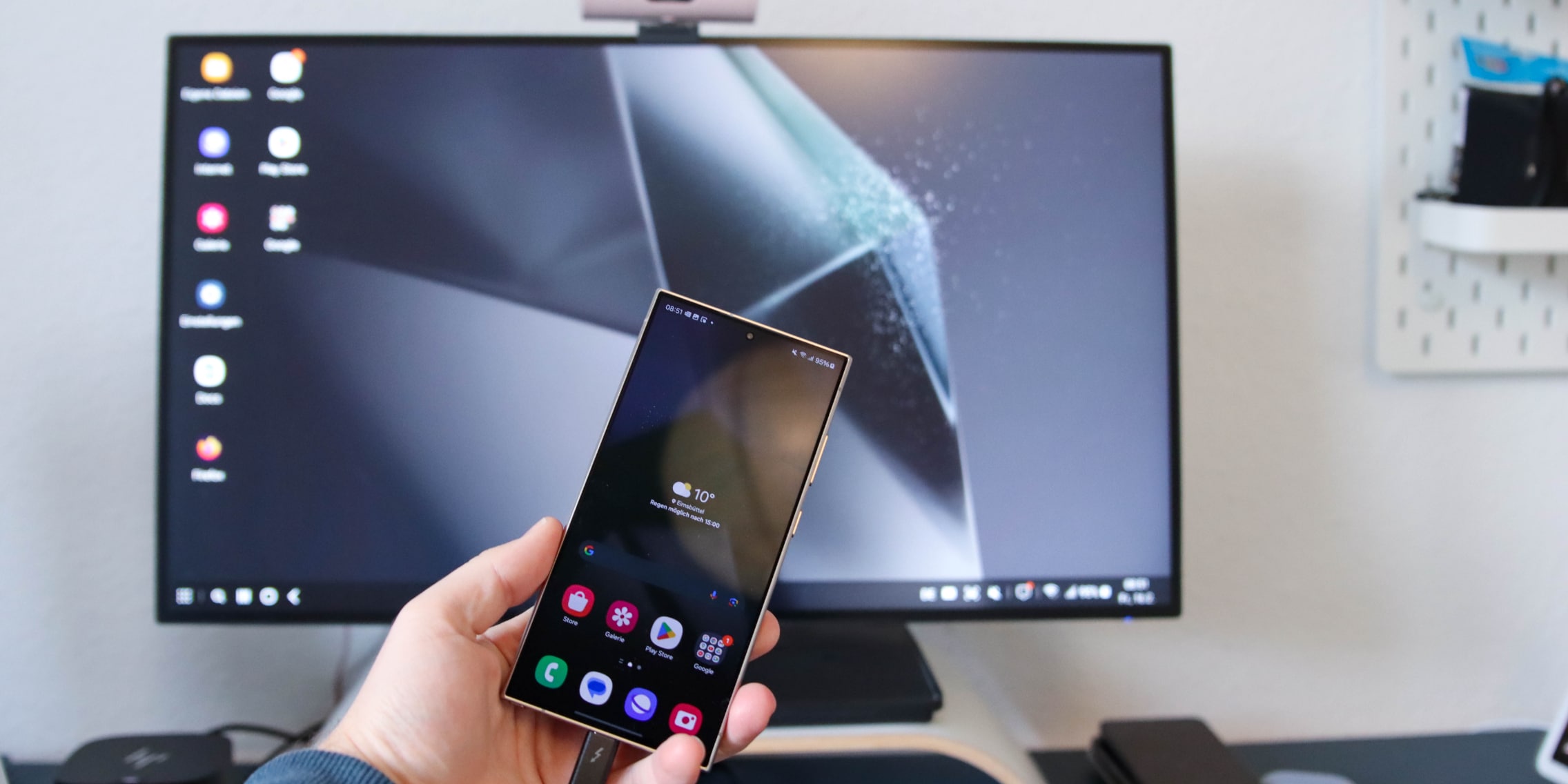
But DeX also highlighted the biggest problem: it’s Samsung-only. Developers could optimize for it, but there was never a guarantee that a desktop-style Android environment would exist on other phones.
That’s why Android Desktop Mode matters. If Google can ship a reliable desktop experience at the platform level — starting with Pixel — then the ecosystem can finally align around a single banner. And in a sense, all the engineering Samsung poured into DeX over the years may end up serving its “true purpose”: proving the model, validating the UX, and preparing users for the moment when the smartphone becomes the only computer we need.
Testing Android Desktop Mode in Android 16 vs Android 17
Google sent us a Pixel 9 test device to evaluate Android Desktop Mode and share feedback and recommendations. The short version: Android 16 shows the foundation, Android 17 shows the direction, and we’re finally at the point where this feels less like a hidden dev feature and more like the early stages of a real product.
Android 16: the “it’s happening” build
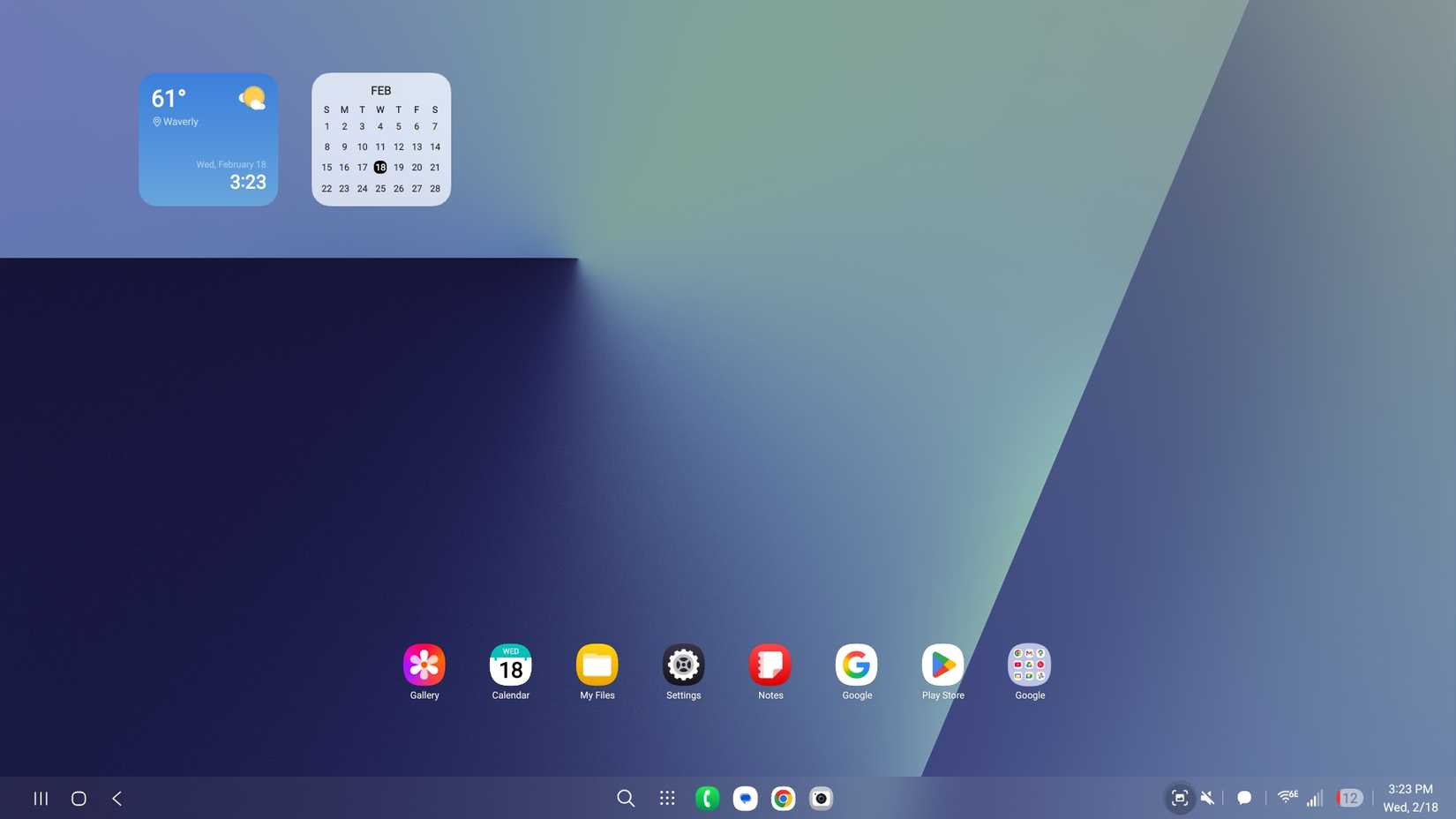
On Android 16, Desktop Mode is best described as a serious prototype. The UI is recognizable as a desktop workspace: a persistent bar, windowed apps, and a clearer separation between phone UI and external display. It’s the first version where the concept feels coherent.
But Android 16 still carries rough edges. Window behaviors can be inconsistent across apps, scaling can feel uneven, and a handful of UX details (focus management, multi-window edge cases, occasional graphical hiccups) remind you this is not yet the “DeX alternative” most people are hoping for.
Android 17: stability, polish, and fewer “showstopper” bugs
The Android 17 experience is where things get interesting. The biggest improvement we noticed is stability. The desktop session holds up better under multitasking, window resizing is smoother, and the general “bug tax” feels dramatically reduced compared to earlier builds.
Input handling is also trending in the right direction. Mouse interactions feel more natural, keyboard shortcuts are more consistent, and the system is better at behaving like a desktop without constantly reminding you that it started life as a phone OS.
Our overall impression: Android 17 delivers a stable foundation that feels usable for real work, not just demos. It still needs at least one more major release to fully overtake Samsung DeX in day-to-day productivity, but the gap is shrinking fast.
What’s already good
- Windowed multitasking that’s increasingly predictable and smooth.
- Better external display behavior with clearer desktop vs phone separation.
- More reliable input support for keyboard and mouse workflows.
- Noticeably fewer crashes and fewer “random UI breakages” during long sessions.
What still needs work (and our recommendations to Google)
- App responsiveness and scaling: too many Android apps still behave like phone apps inside big windows. Google needs stronger guidance, tooling, and incentives for large-screen responsive layouts.
- Desktop-grade UX consistency: window controls, focus behavior, and multi-window edge cases still vary too much depending on the app.
- Power-user features: multi-display workflows, tighter keyboard navigation, and more desktop-like file handling are still behind what DeX users expect.
- Accessory ecosystem: a standardized approach to docks, hubs, and lapdocks will be essential. Google should publish clearer certification guidelines so “it just works” across brands.
A new era is coming, and lapdocks will be at the center of it
If Android Desktop Mode becomes a platform standard, it won’t just be “another feature.” It will change how we buy computers.
A desktop-capable smartphone is already a powerful computer. The missing piece has been the user experience: consistent windowing, predictable input behavior, and a desktop workflow that feels native. Android 17 shows that we’re close.
And when this clicks into place, the hardware category that benefits the most isn’t the laptop — it’s the lapdock. A lapdock is essentially a laptop shell: screen, keyboard, battery, ports — but no CPU, no RAM, no storage to go obsolete. Your phone provides the computing power.

That model is brutally logical. Upgrade your phone, and your “laptop” upgrades too. For businesses, it can simplify fleets, reduce total cost of ownership, and keep data on a single managed endpoint. For consumers, it means fewer devices, fewer chargers, and fewer compromises.
We’ve waited a long time for Google to unify this market. If Android Desktop Mode ships broadly and keeps improving at the current pace, we may look back at 2026 as the moment smartphones stopped being “companion devices” and started being the primary computer for millions of people.
The desktop is no longer a place. It’s a mode. And Android is finally ready to own it.

NexDock 2026 — Lapdock for...
The NexDock 2026 is the best lapdock for Samsung DeX: it turns your smartphone into a full laptop in seconds. Connect any Samsung Galaxy or USB-C DisplayPort phone and get a 14" WUXGA touch screen, backlit keyboard, multi-touch trackpad, and a built-in 38 Wh battery that charges your phone while...
Price €339.99