
Samsung DeX Zubehör: Die komplette Einkaufsliste 2026
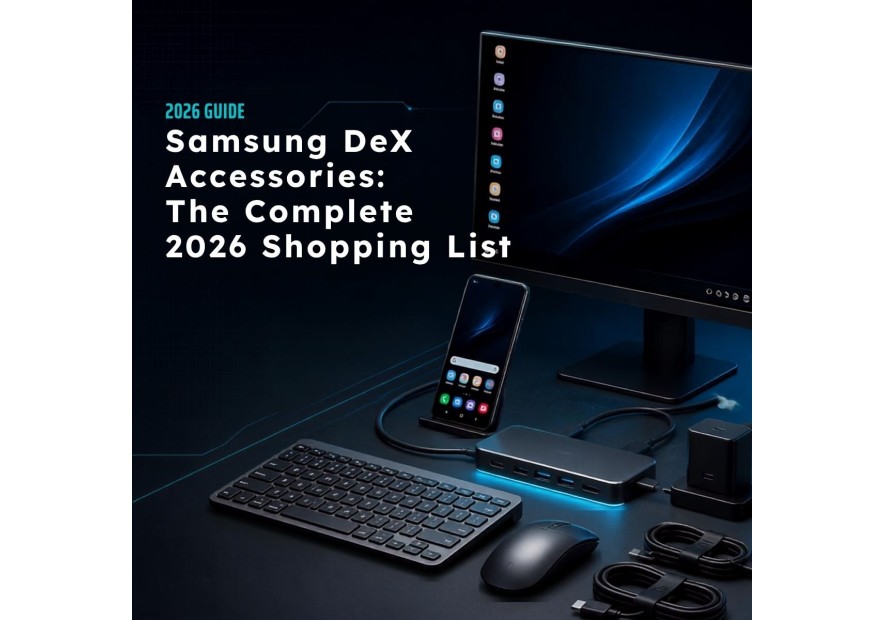
<p>Samsung DeX is one of the most underrated productivity systems available today. Plug your Galaxy into the right accessory, and your phone becomes a full desktop workstation — mouse, keyboard, multi-window apps, the works.</p>
<p>But the accessory market is cluttered. Between cheap no-name hubs and overpriced docks that miss the point, choosing the right <strong>Samsung DeX accessories in 2026</strong> takes more than a Google search. This guide covers every category — lapdocks, docking stations, display solutions, and adapters — so you can build the setup that fits how you actually work.</p>
<h2>First: understand the two DeX use cases</h2>
<p>Before buying anything, ask yourself one question: <em>where do I use DeX?</em></p>
<ul>
<li><strong>On the move</strong> (travel, commute, client sites) → you need a <strong>lapdock</strong>: screen + keyboard + trackpad in one unit, powered by your phone.</li>
<li><strong>At a desk</strong> (home office, office, hotel room with a monitor) → you need a <strong>docking station</strong> or hub that connects your Galaxy to an external display and peripherals.</li>
</ul>
<p>Both setups are valid. Many Mobile-Only users run both. Let's go through each.</p>
<h2>The lapdock: your phone's portable laptop shell</h2>
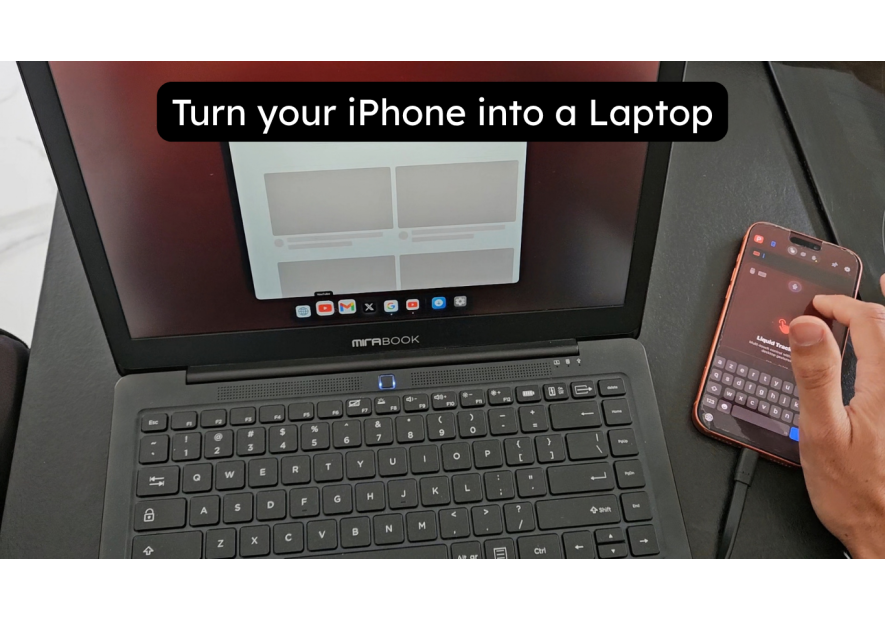
<p>A lapdock is the most complete Samsung DeX accessory you can buy. It pairs a display, keyboard, trackpad, and battery into a single clamshell — you plug in your Galaxy with one USB-C cable and you have a laptop, without the laptop.</p>
<figure style="text-align: center; margin: 20px 0;"><a href="https://mobile-only.com/en/lapdocks/1-nexdock.html"> <img src="https://mobile-only.com/15-large_default/nexdock.jpg" alt="NexDock lapdock for Samsung DeX — best lapdock accessory 2026" style="max-width: 100%; height: auto; border-radius: 6px;" /> </a>
<figcaption style="font-size: 0.9em; color: #666; margin-top: 8px;">NexDock — the specialist lapdock for Samsung DeX users in 2026.</figcaption>
</figure>
<p>The <a href="https://mobile-only.com/en/lapdocks/1-nexdock.html" title="NexDock Lapdock for Samsung DeX">NexDock</a> is the specialist choice for Samsung DeX users in 2026. It delivers instant DeX recognition, a clean Full HD display, and a build quality that survives daily use. The trackpad is one of the best in the lapdock category — not an afterthought, as it is on cheaper alternatives.</p>
<p>What to look for in any lapdock:</p>
<ul>
<li>Full DeX compatibility (not just display mirroring)</li>
<li>USB-C passthrough charging — the lapdock should charge your phone, not drain it</li>
<li>Keyboard feel and trackpad precision — you'll use these for hours</li>
<li>Display resolution: minimum 1080p, ideally with good colour accuracy</li>
<li>Build quality: aluminium or solid plastic chassis</li>
</ul>
<h2>The docking station: your desk command centre</h2>
<p>When you're at a desk, a docking station or USB-C hub makes more sense than a lapdock. You connect your Galaxy to the dock, the dock connects to your existing monitor, and suddenly you have a full desktop without buying a PC.</p>
<figure style="text-align: center; margin: 20px 0;"><a href="https://mobile-only.com/en/docking-stations/3-miradock.html"> <img src="https://mobile-only.com/9-large_default/miradock.jpg" alt="MiraDock USB-C docking station for Samsung DeX" style="max-width: 100%; height: auto; border-radius: 6px;" /> </a>
<figcaption style="font-size: 0.9em; color: #666; margin-top: 8px;">MiraDock — designed for Samsung DeX desk setups.</figcaption>
</figure>
<p>The <a href="https://mobile-only.com/en/docking-stations/3-miradock.html" title="MiraDock USB-C Dock for Samsung DeX">MiraDock</a> was designed specifically for Samsung DeX desk setups. It connects your Galaxy to an external display via HDMI or DisplayPort, while simultaneously handling power delivery, USB peripherals, and audio — all through one USB-C connection.</p>
<p>For a more versatile option that works across multiple devices, the <a href="https://mobile-only.com/en/docking-stations/6-5-usb-c-docking-station-for-smartphone-turn-your-phone-into-a-pc.html" title="USB-C Docking Station for Smartphone">USB-C Docking Station</a> offers five ports including HDMI, USB-A, and power delivery. It works with any USB-C device that supports video output — not just Samsung.</p>
<figure style="text-align: center; margin: 20px 0;"><a href="https://mobile-only.com/en/docking-stations/6-5-usb-c-docking-station-for-smartphone-turn-your-phone-into-a-pc.html"> <img src="https://mobile-only.com/28-large_default/usb-c-docking-station-for-smartphone-turn-your-phone-into-a-pc.jpg" alt="USB-C docking station for smartphone Samsung DeX setup" style="max-width: 100%; height: auto; border-radius: 6px;" /> </a>
<figcaption style="font-size: 0.9em; color: #666; margin-top: 8px;">USB-C Docking Station — five ports, compatible with all USB-C phones.</figcaption>
</figure>
<h2>The DisplayDock: a touchscreen all-in-one</h2>
<p>If you want a desk setup but without the full external monitor, the <a href="https://mobile-only.com/en/displaydock/8-14-displaydock-uperfect-156-turn-your-smartphone-into-a-full-hd-touchscreen-tablet.html" title="DisplayDock UPERFECT 15.6">DisplayDock UPERFECT 15.6"</a> is a hybrid solution worth knowing about.</p>
<figure style="text-align: center; margin: 20px 0;"><a href="https://mobile-only.com/en/displaydock/8-14-displaydock-uperfect-156-turn-your-smartphone-into-a-full-hd-touchscreen-tablet.html"> <img src="https://mobile-only.com/57-large_default/displaydock-uperfect-156-turn-your-smartphone-into-a-full-hd-touchscreen-tablet.jpg" alt="DisplayDock UPERFECT 15.6 touchscreen for Samsung DeX" style="max-width: 100%; height: auto; border-radius: 6px;" /> </a>
<figcaption style="font-size: 0.9em; color: #666; margin-top: 8px;">DisplayDock UPERFECT 15.6" — portable Full HD touchscreen for DeX.</figcaption>
</figure>
<p>It's a portable full HD touchscreen that your Galaxy connects to directly — large display with touch support, keyboard and trackpad connectivity, and a stand-alone design that works anywhere. Particularly well-suited for users who don't have a fixed monitor but want more screen real estate than a lapdock provides.</p>
<h2>The adapters: small accessories, critical choices</h2>
<p>Not every DeX setup needs a full dock. Sometimes you just need the right cable or adapter.</p>
<h3>4K 60Hz USB-C to HDMI Adapter</h3>
<figure style="text-align: center; margin: 20px 0;"><a href="https://mobile-only.com/en/accessories/5-4k-60hz-usb-c-to-hdmi-adapter-for-samsung-dex.html"> <img src="https://mobile-only.com/26-large_default/4k-60hz-usb-c-to-hdmi-adapter-for-samsung-dex.jpg" alt="4K 60Hz USB-C to HDMI adapter for Samsung DeX" style="max-width: 100%; height: auto; border-radius: 6px;" /> </a>
<figcaption style="font-size: 0.9em; color: #666; margin-top: 8px;">4K USB-C to HDMI Adapter — instant DeX on any monitor or TV.</figcaption>
</figure>
<p>The <a href="https://mobile-only.com/en/accessories/5-4k-60hz-usb-c-to-hdmi-adapter-for-samsung-dex.html" title="4K 60Hz USB-C to HDMI Adapter for Samsung DeX">4K 60Hz USB-C to HDMI Adapter</a> is the simplest way to connect your Samsung Galaxy to any HDMI monitor or TV. This is the accessory to keep in your bag. Hotel room TV, conference room screen, client's monitor — one adapter, instant DeX.</p>
<h3>Magnetic USB-C DisplayPort Adapter</h3>
<p>For lapdock users who connect and disconnect multiple times a day, the <a href="https://mobile-only.com/en/accessories/7-magnetic-usb-c-dp-adapter-for-lapdock-and-dock.html" title="Magnetic USB-C DP Adapter for Lapdock and Dock">Magnetic USB-C DisplayPort Adapter</a> is a quality-of-life upgrade. The magnetic connection clicks in instantly, protects your USB-C port from wear, and disconnects cleanly without tugging at the cable.</p>
<h2>Choosing your setup by use case</h2>
<table>
<thead>
<tr>
<th>Use case</th>
<th>Recommended setup</th>
</tr>
</thead>
<tbody>
<tr>
<td>Frequent travel, no bag space</td>
<td>NexDock lapdock only</td>
</tr>
<tr>
<td>Fixed desk, existing monitor</td>
<td>MiraDock or USB-C Docking Station</td>
</tr>
<tr>
<td>Mixed: desk + occasional travel</td>
<td>MiraDock at desk + HDMI adapter in bag</td>
</tr>
<tr>
<td>Want touchscreen flexibility</td>
<td>DisplayDock UPERFECT 15.6"</td>
</tr>
<tr>
<td>Minimal: just need video output</td>
<td>4K USB-C to HDMI Adapter</td>
</tr>
</tbody>
</table>
<h2>What about Samsung's own DeX accessories?</h2>
<p>Samsung sells an official <a href="https://www.samsung.com/global/galaxy/apps/samsung-dex/" rel="noopener noreferrer" target="_blank">DeX Station and DeX Pad</a> for some Galaxy models. These work well but are designed for desk use only, discontinued for newer Galaxy models, and replaced by the universal USB-C approach. Third-party accessories — when properly tested — give you more flexibility and often better build quality for the price.</p>
<h2>The bottom line</h2>
<p>A complete Samsung DeX setup in 2026 doesn't require a complex purchase. Start with your primary use case — mobile or desk — and add from there. The accessories exist. The ecosystem is mature. The only question is how far you want to take it.</p>
<p>Browse the full <a href="https://mobile-only.com/en/3-lapdocks" title="Lapdocks for Samsung DeX">lapdock collection</a> and <a href="https://mobile-only.com/en/4-docking-stations" title="Docking stations for Samsung Galaxy">docking stations</a> at Mobile-Only — every product is selected and tested for Samsung DeX compatibility.</p>
<p>Take care,<br />Yanis@MiraLab</p>